
What UGM can do
Maps, sheets, dice, creation, sound, displays, history, and other native tools.
Modules
Start with the dependable UGM foundation, then shape the experience around your group: maps, live sheets, shared dice, campaign tools, atmosphere, audience views, and more.
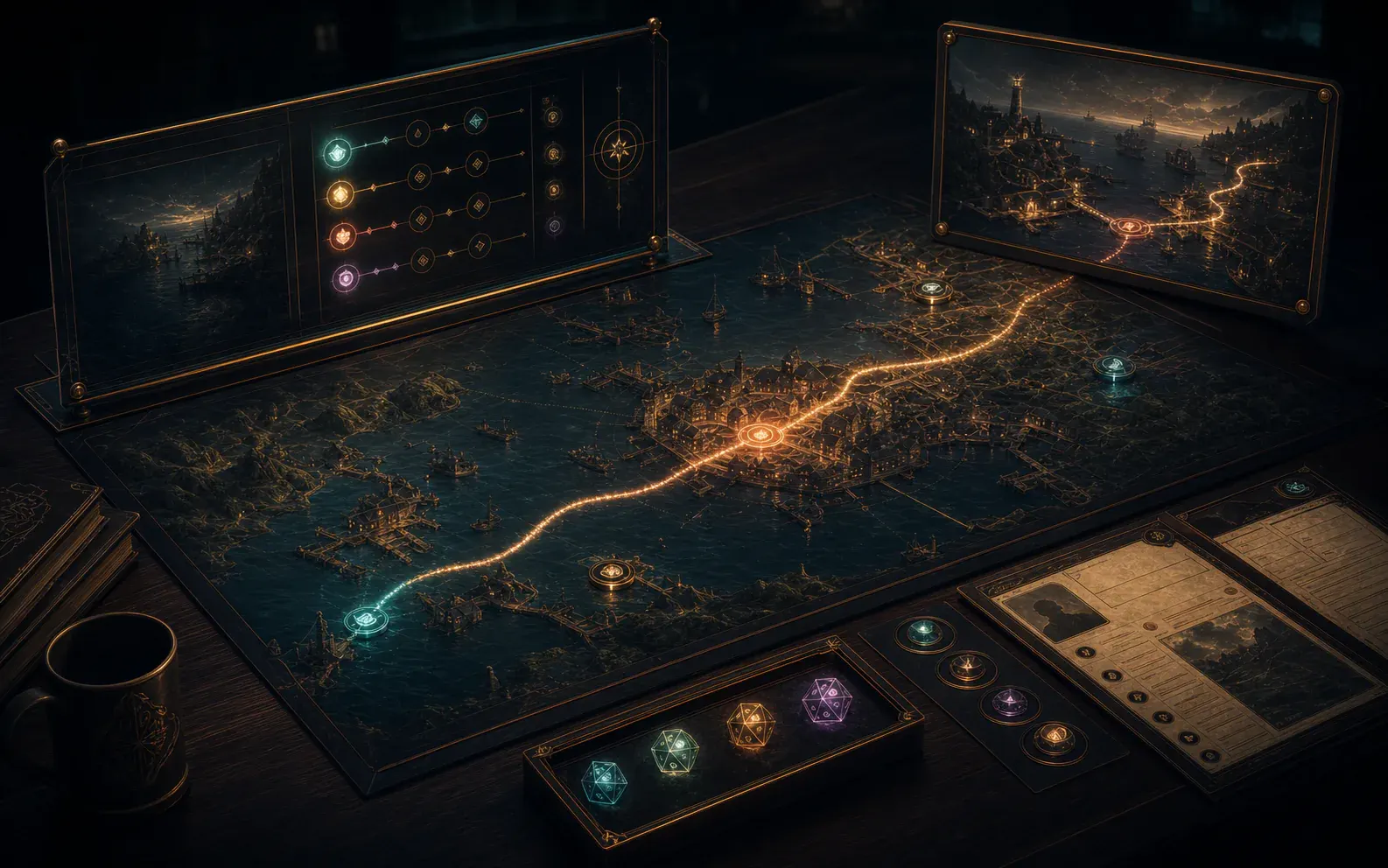 Concept visual
 Choose the tools your group needs and let them work as one table instead of becoming another stack of disconnected apps.
This is the full UGM v2 platform catalogue, not an initial-release list. V1-level Modules needed for the parity product are active roadmap scope; advanced table tools, integrations and post-v1 depth arrive in later platform milestones.
See current progressA Clearer Catalogue
The catalogue covers 37 UGM tools and 15 planned outside connections. Details stay folded until you want them, so it is easy to scan without losing the full product picture.
Maps, sheets, dice, creation, sound, displays, history, and other native tools.
Optional routes to approved providers, devices, services, and local tools.
Adventures, maps, dice, themes, sound packs, templates, and other reusable material.
Foundation
Core keeps the everyday experience dependable while the rest of the module library lets each group choose its own tools.
Core powers Home, Library, table roles, saved work, recovery and the shared services every other UGM tool relies on. It is a required module; the planned Membership Module owns account-facing workflows.
For example, it can reopen the last table, explain a recovery choice, manage installed content and keep shared identity, storage and permission services consistent.
Every native Module, Gameset and installed Package relies on Core for shared identity, permissions, storage, localisation and recovery behaviour.
Bring sign-in, membership status, ambassador status and future store purchases into a native account overview, with clear cached information when offline and a secure route to account management.
See which access comes from ownership or membership, when it was last verified and which supported purchases can open in Library.
Uses shared account services and Library; detailed programme management stays in Ambassador Hub.
Planned as a required, protected Module. This does not require a paid subscription or an always-online login; store availability is not announced.
Run The Table
These modules turn preparation, choices, maps, rolls and reveals into one live experience for GMs, players and audiences.
Bring private notes, table control, actor hand-offs, rules context and live scene decisions together without exposing GM-only information.
A GM could prepare a hidden reveal, transfer an actor to a player, run a scene and monitor public displays without leaving the same working view.
Campaign Designer, Player, Living Maps, Table Messaging, Spectator and Multiple Screen turn its private command state into the right live view for each seat.
Manage a personal Character Vault, prepare portraits and portable copies, submit Characters for GM review and enter with the approved set. Receive GM-provided Characters and choose how to keep permitted final versions after play.
A player could move from their character and current scene to a roll, private message or handout while seeing only the controls and information granted to them.
Character Sheet, Physics Dice, Table Messaging, Trading and Campaign Player provide the actions and information that make up the focused player experience.
Customisable character and actor sheets can bring actions, resources, conditions, history and player controls into a layout that suits the rules and the device.
A Gameset can define the fields, resource tracks, calculations and action buttons, while UGM preserves changes and adapts the presentation for each permitted role.
Gameset Packages define its records and actions; Player, GM, Physics Dice, Trading and Log consume the permitted state and events it produces.
Run structured conflicts and dramatic scenes with the actors, effects, timing and map-linked spaces the table needs, without assuming every game handles encounters the same way.
Use it for initiative-led combat, timed challenges or any structured sequence where actors, effects and the active step need to remain visible together.
Character Sheet supplies actors and actions, Living Maps supplies spatial context, Physics Dice resolves checks and Spectator presents the public-facing scene.
Move from an encounter into a foot race, mounted pursuit, convoy interception or starship escape, using a mapped route or a quick abstract track.
A GM can define participants, route segments, obstacles and changing distances, then present the pursuit as either a mapped scene or a compact shared track.
It can draw on Characters, vehicles, Campaign cards, Living Maps, Math and Physics Dice while publishing a simplified progress view to players or spectators.
Layered 2D-first maps bring tokens, props, fog, lighting and audience-safe reveals together. Planned depth includes independent grid and movement highlights, GM-selected movement limits, connected floors and height-aware routes without requiring a full-3D view.
A single map can hold GM annotations, player-safe discoveries, token and prop placement, measurement, fog and display-specific layers without duplicating the source scene.
Campaign Designer supplies locations and reveals; Encounter, Chase, Multiple Screen and Spectator reuse the same map state for their role-specific views.
Roll visible 3D dice, support pools and custom dice where available, and record physical rolls. Planned secret rolls keep the shared rolling moment while showing question marks to anyone who is not allowed to see the values.
A Character action can create a typed roll, launch a full-screen 3D throw, settle it authoritatively and publish a permission-filtered result to the session record.
Character Sheet and Dice & Card String Builder create typed rolls, while Encounter, Log, Spectator and network play consume authoritative permitted results.
UGM can handle reusable calculations while the chosen game rules decide what those results mean. The workings stay understandable rather than becoming a mystery number.
Reusable formulas can support movement, areas, conversions, probabilities and Gameset-defined calculations while still showing players and GMs how the result was reached.
Gamesets define the meaning of formulas; Character Sheets, maps, encounters, tables and creator tools reuse the resulting transparent calculations.
Run decks, wagers, selectors, challenges and reveal moments with the right result shown to the player, the whole table or the audience.
A table might draw from a secret deck, place a wager, choose between hidden options or reveal a shared result with the audience view controlled separately.
Card Sets, Wheel Selector Sets and Gameset rules provide its content, while Campaign, Table Messaging and Spectator control how each result is revealed.
Players can inspect objects, arrange evidence, contribute to a board, stage cards or dice and solve puzzle modes together with clear reset and recovery.
Use one canvas to pin clues, rotate or inspect pieces, connect evidence, stage a collaborative plan and reset a puzzle without losing the original material.
Campaign cards, handouts, maps, tokens, dice and puzzle Packages can share the canvas, with Multiple Screen and Spectator providing controlled display routes.
Puzzle Canvas is an official Interactive Canvas mode, not a separate module.
Create wheels and other visual selectors for events, travel trouble, loot, prompts or spotlight choices, with 3D presentation where it genuinely adds to the moment.
Selectors can be weighted, themed and saved for repeat use, then launched from a Campaign moment with the outcome sent only to the intended people.
Wheel Selector Sets supply reusable choices; Campaign events, Gameset procedures, sound cues and audience displays can launch or present them.
Prepare private or table-wide messages, choose who receives them, ask for acknowledgement and keep audience screens free from accidental leaks.
Messages can include a clue, image, choice or acknowledgement request, with recipients selected by player, role or table group and delivery retained in the event history.
GM and Player provide senders and recipients, Campaign content supplies prepared material, and Log retains the permitted delivery and acknowledgement history.
Create dedicated audience views for TVs, projectors, remote observers, venues and streams while keeping hidden notes and private player details off-screen.
A spectator layout can combine approved scene art, rolls, timers, music and public Character information while automatically excluding unrevealed or private material.
Multiple Screen routes its layouts, while Campaign, maps, dice, encounters, audio and messaging contribute only the information explicitly safe for an audience.
Route the right view to GM monitors, player devices, shared maps, venue displays, spectator screens and streaming canvases.
One session could drive a GM display, shared map, player tablet, venue screen and broadcast output, each with a purpose-built and permission-safe layout.
It routes GM, Player, Living Maps, Spectator and presentation layouts to local or remote displays without creating a separate source of table truth.
Create & Shape
Creation tools turn ideas into reusable campaigns, game rules, layouts, tables and physical material without requiring technical knowledge.
Create playable Campaign material, preview its player-safe presentation and open the same saved structure directly in the table-first Campaign Player.
Build Campaign cards, order and nest story material, attach Characters and locations, mark private content and preview exactly what Campaign Player will receive.
Gameset definitions shape its authoring vocabulary; Campaign Player, Character Sheet, Living Maps and print tools consume the saved playable structure.
Define the terms, sheets, records, dice, cards, procedures and references a game needs. Author optional rule variants and reusable presets, then enable, combine and customise them per Campaign while preserving the original Gameset.
A creator can describe a game's vocabulary, record types, sheet schema, dice expressions and permitted content sources, then validate them without changing Core code.
Its output drives Character Sheets, Campaign authoring, dice expressions, tables, help and compatible Packages while Core remains rules-neutral.
Author themes, sheets, spectator layouts, puzzle canvases and displays using one shared widget library. Reuse typed bindings and visual variants across surfaces while preserving input, permissions, accessibility and fallbacks.
Create coordinated desktop, mobile, spectator and print layouts, preview accessible alternatives and package the result as data that cannot execute arbitrary code.
It prepares layouts for Character Sheets, workspaces, Interactive Canvas, Spectator, Multiple Screen and print output using the same safe presentation tokens.
Use a shared Graph Editor for connected people, factions, clues and Campaign paths, with an accessible outline alongside the visual view. The first planned slice is a Relationship Graph; other tools retain control of their own rules and records.
Connect a witness, a faction and a location, then follow the same relationships in an outline when a visual graph is inconvenient.
Campaign and other domain tools provide their own records and meaning; Library manages the Module and its data Packages.
A future optional Module. Graphs remain recoverable when the Module is disabled; this is not a current release claim.
Prepare character sheets, handouts, session packets, table tents, cards, standees, labels and private or player-safe printouts from the same UGM material.
The same source material can produce a private GM packet, player handout, folded table tent or accessible reference sheet with audience rules applied before export.
Campaign, Character Sheet, Table Builder, handout and template Packages supply source records; role permissions decide which fields reach each export.
Build readable tables for rules, equipment, generators, prompts and rich campaign text, with layouts that adapt across desktop, tablet, phone and print.
Authors can define columns, headings, sorting, rich cells and responsive priorities once, then reuse the table in rules references, generators, sheets and print layouts.
Gamesets, rules references, generators, Campaign content and Character Sheets can all embed its reusable tables across screen and print layouts.
Create, explain, check and reuse dice or card instructions defined by the active game, then send them to the appropriate roller or resolver.
Guided controls can assemble a valid Gameset expression, explain each part, report errors early and save the finished action for sheets, cards or quick access.
Gameset schemas provide valid syntax and choices; Character Sheet, Physics Dice, decks and quick actions receive the checked instruction it produces.
Atmosphere
Layer music, visual mood and scene movement into play without turning the GM's attention away from the table.
Build loopable cues, fades, scene triggers and grouped controls from local audio, UGM content and approved external routes.
A scene can start a looping ambience, fade music, fire a one-shot cue and expose a small set of safe controls without interrupting the GM's live workflow.
Campaign scenes, Characters, encounters, animation and provider mappings can request cues, while GM controls decide what is previewed or played live.
Bring visual references, music, ambience, lighting ideas and scene inspiration into reusable mood collections.
A location or Character collection can gather approved artwork, palette, ambience and reference notes so the intended tone is easy to recall and restage.
Campaign locations, Characters, Soundboard, smart-lighting directions and scene presentation can reuse the same approved atmosphere collection.
Attach voices, motifs, themes, stingers and reminders to characters or actors, with GM review and sensible live controls.
A recurring actor might carry an entrance sting, voice reference and theme, with preview, volume and stop controls available before anything reaches the table.
Character records provide identity and triggers; Soundboard, Campaign Player, encounters and Spectator can present approved cues at the appropriate moment.
Stage animated layers, alerts, reveals, environmental movement and display effects with preview, stop and accessibility fallbacks.
Trigger rain, drifting fog, an alert or a scene transition from prepared material, while reduced-motion and static alternatives preserve the information being conveyed.
Campaign reveals, Living Maps, encounters, Soundboard and audience displays can trigger prepared effects with shared accessibility and emergency-stop controls.
Support & Continuity
These tools help groups learn UGM, review what happened and manage the details that build up across a long campaign.
Find permitted installed references, open contextual help and choose optional learning for UGM, first-time GMs, experienced GMs, players or a particular game system. Select only the help and course Packages you want.
Search an installed Gameset reference offline, open a task guide or rehearse a first session without changing a real Campaign. Choose help and learning content separately.
Modules contribute permission-filtered references and guidance to Academy. Library manages selected Packages; Session Simulator can support optional isolated practice.
A planned private workspace for approved UGM ambassadors, with direct browser sign-in and an eligible-user entry from UGM. Programme status remains separate from a paid membership or the Campaign you are playing.
An approved ambassador opens the same authorised workspace from a browser or from their UGM account overview.
Uses shared UGM account services and the Membership overview; programme access depends on approval.
The programme and portal are planned. Joining Discord or buying membership does not automatically grant ambassador access.
Let an automated GM run solo or cooperative play, test a Campaign in an isolated copy, or practise as a human GM with simulated Players who know only what their roles permit.
Rehearse a scene with a cautious party, pause to try another approach and review the outcome without changing your real Campaign or Characters.
Academy can add optional exercises and feedback. Gamesets own rules; each simulated role receives only authorised context.
Planned capability. Compatible installed rules and oracles can support offline play; generative providers require separate capability, consent and cost controls. Universal offline AI is not promised.
Keep a searchable history of rolls, approvals, control changes, imports and session events, with review or reversal where the affected actions allow it.
A GM can find when a roll, reveal, trade, import or control change occurred, who initiated it and whether the action offers a safe review or reversal path.
Campaign, Character, dice, messaging, trading, imports and control changes publish reviewable events here according to the viewer's permissions.
Support inventories, offers, auctions and game-defined economies with the right approvals and a clear history.
Players can propose an exchange, shop from game-defined stock or receive a reward, with ownership, approvals and the resulting inventory changes recorded together.
Gamesets define inventories and economies; Character Sheets, Shop Packs, Campaign rewards, permissions and Log complete each exchange.
Track calendars, timelines, clocks, seasons, schedules, reminders and quest timing using the terms and time model the game expects.
Use real-world or fictional calendars for travel, downtime, deadlines and reminders, including custom month names, clocks and relationships between scheduled events.
Campaign cards, quests, travel, downtime and reminders can reference its clocks and dates, while Gamesets define any non-standard time model.
Generate draft names, hooks, details and table ideas only when the feature is enabled, then review, retry or edit before saving anything.
When enabled, a GM could request several draft tavern names or encounter prompts, inspect what would be sent externally and keep only an edited choice.
Campaign Designer, Table Builder and Gameset-aware prompts may request drafts, but consent, provider choice and human review remain separate controls.
External AI use requires clear consent before campaign material is sent to a provider.
Create optional draft summaries, contradiction checks and unresolved-thread reminders from permitted campaign material. The GM approves every lasting change.
It could flag that an unresolved clue or conflicting date may need attention, then offer a draft recap without changing Campaign canon on its own.
It can review permitted Campaign cards, session logs, Characters, quests and Calendar events, then return drafts to the GM for approval.
Create scripts, translations, ciphers and discoverable language layers for clues, lore and shared documents under GM control.
The same inscription can appear unreadable to one Character, partially translated to another and fully understood by a third as their Campaign knowledge changes.
Campaign handouts and Interactive Canvas carry the text; Character knowledge and Gameset definitions determine which script or translation each player receives.
Integration Directions
Integration Modules are planned routes to outside services, devices, shops and tools. Every named connection depends on access, terms, approval, privacy and a safe fallback. Naming a service does not claim a partnership or current availability.
Connections · Show & Control
These intended connections extend UGM into production controls, streaming tools and the physical space, subject to provider access and approval.
Pair a UGM background and transparent foreground around camera feeds managed by OBS. Planned Broadcast Layout Profiles coordinate scene changes through a confirmed blackout, with visible connection status and recovery when synchronisation fails.
An approved scene could expose public dice, timers or Character panels to OBS while retaining a neutral fallback layout whenever the connection is unavailable.
Spectator and Multiple Screen provide audience-safe layouts; Broadcast Presets map those approved fields into supported OBS scenes and fallbacks.
A planned local-control route for approved shortcuts, cues, display changes and safety actions.
A reviewed button set could start a sound cue, change an audience scene or perform an emergency clear, with actions logged and destructive shortcuts kept behind confirmation.
GM, Soundboard, Scene Animation, Multiple Screen and supported streaming controls can expose a deliberately limited set of reviewed button actions.
A future route for stream accounts, chat or audience events, alerts and moderation where platform access allows it.
Where a service permits it, moderated audience events could feed an approved alert or choice without giving chat direct access to private table state.
Spectator, Table Messaging and Automation Trigger routes can translate moderated platform events into explicit public table actions without exposing private state.
A planned connection for approved lighting devices, with manual and accessibility-friendly fallbacks when the hardware is unavailable.
A scene reveal might recall an approved colour and brightness preset, while manual controls and non-lighting cues keep the moment usable for every table.
Moodboard, Soundboard, Campaign scenes and Automation Trigger Maps can request approved lighting presets while UGM retains manual fallback controls.
Connections · Content
Provider connections should make import easier while keeping ownership, attribution and usage limits clear.
This is an intended provider connection for cue routing and mood mappings, subject to provider access, terms and approval.
Prepared Campaign scenes could reference provider-side moods and one-shots through reviewed mappings, with local silence or substitute cues when access is unavailable.
Soundboard and Character Audio use Audio Provider Mapping Packs to connect prepared UGM cues to authorised provider content.
Naming an integration direction does not indicate a partnership or current availability.
Import maps and variants from services you choose, with clear credits, access checks and sharing warnings.
A supported import can retain creator attribution, source links, dimensions and variants, then let the GM review grids and sharing rights before adding the map.
Living Maps and Map Import Manifest Packs receive the reviewed map, attribution, dimensions and variants before it joins the local library.
A future connection that keeps UGM's library understandable even when assets come from several providers.
Search or import can preserve the provider, creator, licence and local availability of an asset so the library never disguises where content came from.
Library, Campaign Designer, Living Maps, Moodboard and presentation tools can consume approved assets while preserving their source and usage metadata.
Import supported files and common formats with a clear preview of what maps cleanly, what needs attention and where the material came from.
An import review can match known fields, flag unsupported or ambiguous material and let the user correct the mapping before anything changes in the destination Campaign.
Gamesets and conversion profiles explain the destination shape; Library and Campaign Designer present the review before imported records become local content.
A planned route for backups, restores, relinking and conflict review through storage services you choose, alongside UGM's offline foundation.
A user could opt into an approved backup location, inspect sync conflicts and restore a named version without making that service a requirement for local play.
Core storage, Library, Campaign Vaults and recovery workflows can use an approved optional provider without making it the authority for local play.
Connections · Community
Community, storefront and discovery connections remain conditional until the relevant provider, rights and commercial routes are approved.
A planned, privacy-controlled connection for selected campaign, group or session status fields and user-approved templates.
A user-approved template might say that a group is playing UGM while omitting Campaign names, Characters, locations and all other private session details.
Social Presence Templates select the approved labels, while Campaign and session privacy rules exclude all fields that should remain at the table.
This product integration direction is separate from joining the public UGM Discord community.
A future connection pattern for ownership checks, permitted downloads and licence-aware installation where a publisher route is confirmed.
Where agreements exist, UGM could verify entitlement, download a signed package and retain its product, version, source and licence information in the Library.
Library installs verified Gameset, adventure or asset Packages and retains the publisher, entitlement, licence, source and version metadata supplied by the route.
A future route for community discovery, reports, creator attribution, requirements and compatibility claims.
Listings could show creator identity, dependencies, compatible Gamesets, rights declarations, version history and reports before a package is installed.
Library, package requirements, Gameset compatibility and creator attribution give users the context needed to review community material before installation.
A future listing and join-link direction that does not move payment, reviews or profile ownership into UGM without a formal agreement.
A supported listing could hand a player from a provider's search or booking page into the correct UGM join flow without copying the provider's commercial records.
The provider retains listings, profiles and bookings; UGM receives only the approved session or join hand-off needed to continue locally.
Connections · Automation
External automation and AI connections should be visible, permission-led and easy to disable.
A conditional connection for provider settings, consent, visible data-use boundaries and clearly labelled output.
Provider choice, the exact material being shared, retention expectations and generated output would remain visible at the point where each assisted action is requested.
Consent-led Modules such as AI Random Generator and Continuity Assistant use this boundary for provider choice, data preview and clearly labelled output.
A future trigger route for local or remote automation, with permission review, logging and safe fallback when the endpoint is unavailable.
A deliberate table event could call an approved automation endpoint with a minimal payload, timeout safely and leave an auditable result without blocking local play.
Automation Trigger Maps connect deliberate Campaign, dice, scene or audio events to approved endpoints, with Log capturing the outcome and fallback.
Shape The Table
The UGM Discord is the place to follow development, discuss the catalogue, and share the table problems you want UGM to solve.